How to add vehicle documents
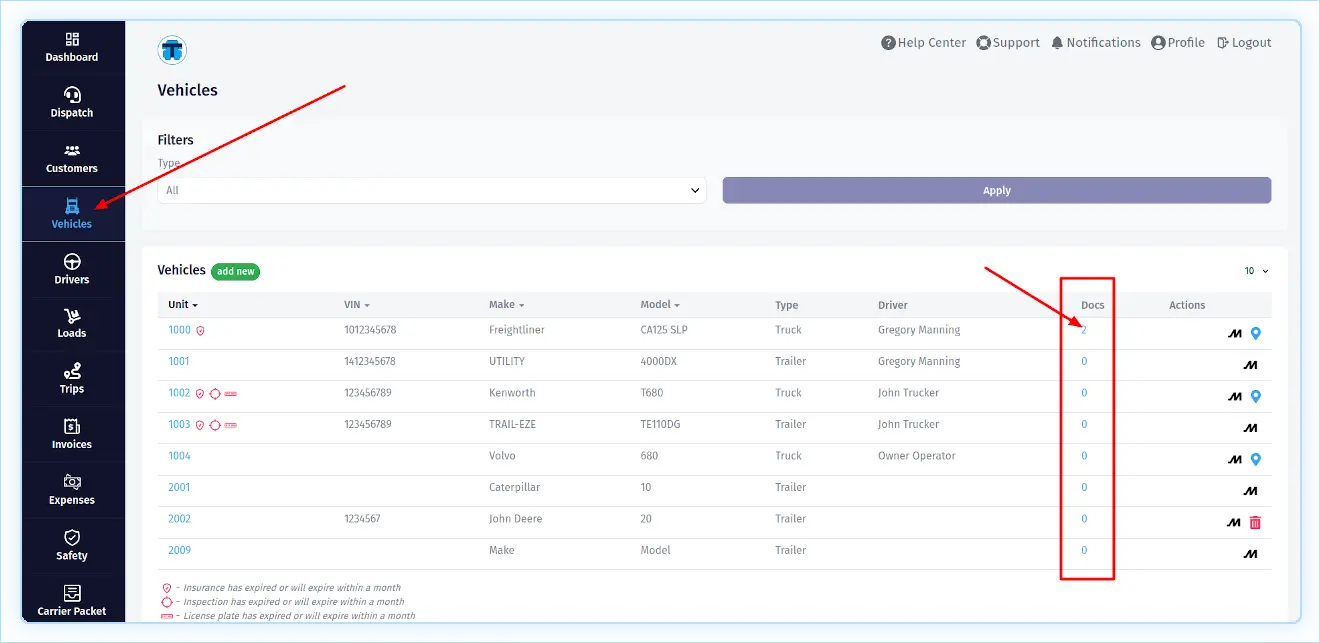
To add vehicle documents, open the vehicle list page and click on the number in the "Docs" column of the appropriate truck or trailer. This will open this vehicle's document page.
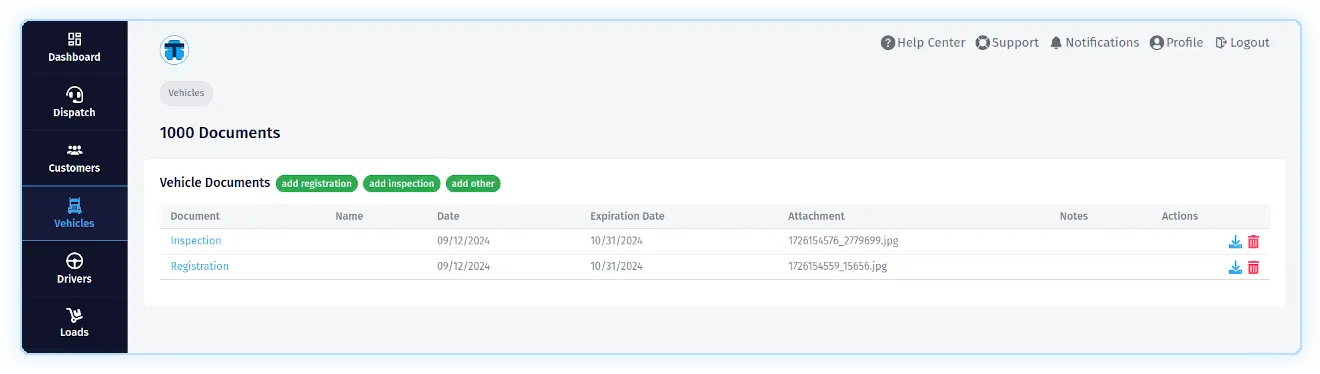
On this page, you can add the following documents: "Registration", "Inspection" or any "Other" document by clicking on the appropriate button.